
Golden
Paths
Custom plugin designed to streamline engineering workflows by transforming scattered documentation and templates into structured, actionable journeys. Instead of navigating multiple tools, engineers can follow a unified path tailored to tasks like cloud onboarding, service setup, or tool migration. As the lead product designer, I was responsible for shaping the end-to-end user experience.
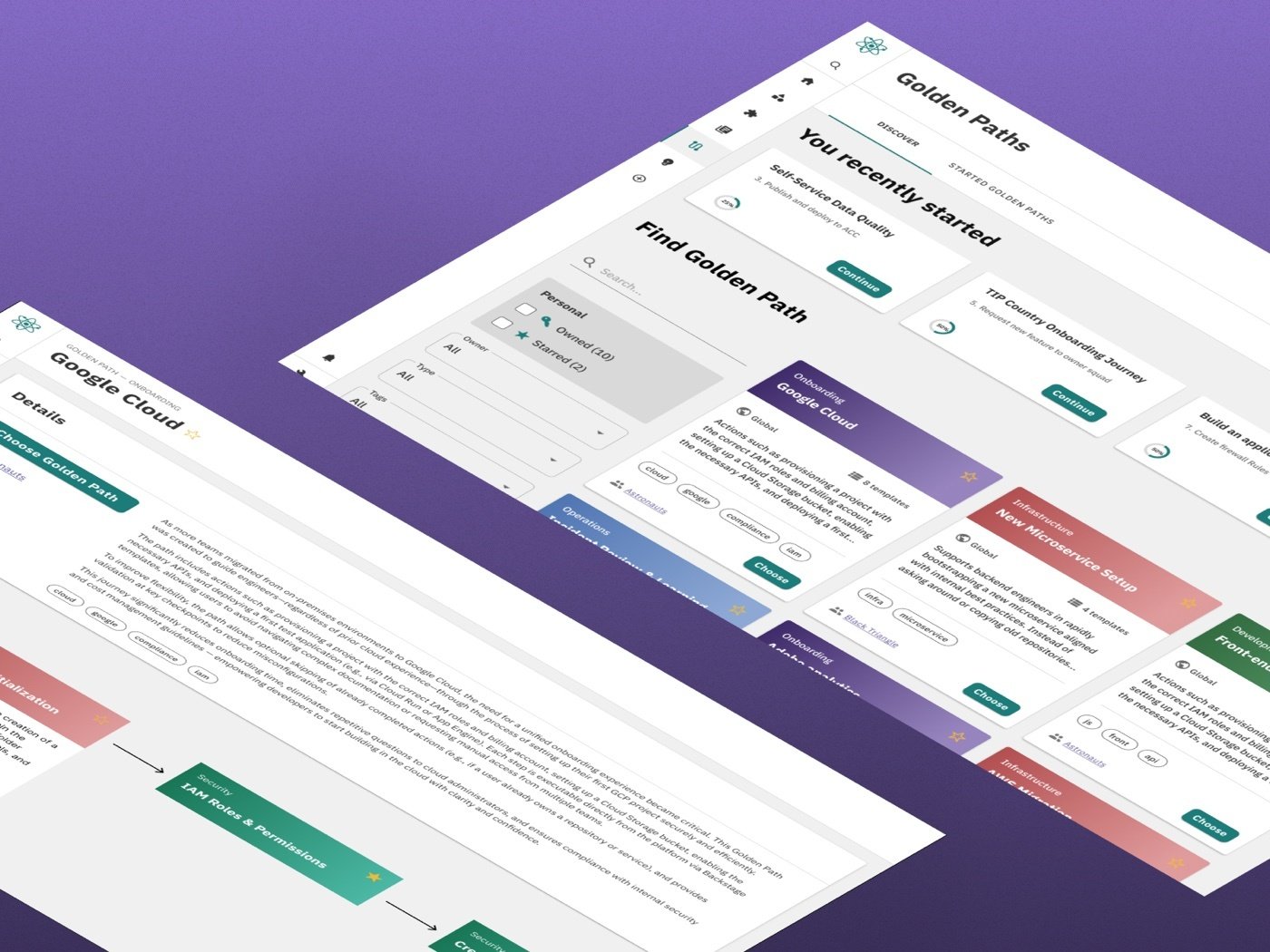
Large engineering organisations face a persistent challenge: documentation scattered across a lot of internal portals. Engineers must switch between tools, manually coordinate with teams, and execute similar workflows inconsistently - causing misconfigurations and duplicated work.
The previous solution was outdated, rigid, and difficult to maintain. My task was to redesign the plugin from the ground up, turning it into a flexible, modular system that guides engineers through complex workflows without removing their autonomy.
No clear path.
Lost engineers.
Engineers at scale face a structural problem: the knowledge they need to complete a task lives in multiple places - and connecting those pieces requires tribal knowledge that new joiners simply don't have.
- No single place to follow a complete workflow
- Engineers must switch between tools and manually coordinate with teams
- No clear order, dependencies, or next steps
- Previous plugin was outdated and difficult to maintain
"There's no single place to see what I'm supposed to do and how far I am."
Understanding
real behaviour.
Methods used
Key findings
Users valued having everything in one place more than any additional feature. Context switching disrupted flow and slowed down even simple tasks.
Being able to see "where I am" and where others are removed the guesswork of not knowing if a step was complete or correct.
When users skipped steps, the absence of a visible reason created confusion for others reviewing the path. Labels restored clarity and trust.
Guided paths,
not guardrails.
Engineering workflows were not only fragmented across tools. They lacked a clear structure and flow. Engineers had to piece together steps from different sources, often relying on tribal knowledge and manual coordination.
Instead of following a clear path, they navigated uncertainty and not knowing what comes next, what can be skipped, or how their progress fits into the bigger process.
Design principles
Users can move between steps without losing context or progress. The system supports different paths without forcing a strict sequence.
Users always know where they are and what comes next. A persistent path overview and contextual navigation reduce confusion and support decision-making.
Designed for speed and clarity. Every element supports task completion without adding unnecessary complexity.
The design,
view by view.
Find your paths
In this view, users can find all the Golden Paths they’ve ever started — regardless of whether they completed them or not. It also offers team-level visibility: users can see which paths their teammates have progressed through and pick up where someone else left off if needed. Additionally, a read-only mode allows users to explore paths completed by others across the entire organization, promoting knowledge sharing, reuse, and consistency.
Invoked
In this view, users can find all the Golden Paths they’ve ever started regardless of whether they completed them or not.
It also offers team-level visibility: users can see which paths their teammates have progressed through and pick up where someone else left off if needed.
Additionally, a read-only mode allows users to explore paths completed by others across the entire organization, promoting knowledge sharing, reuse, and consistency.
Auto-fill the repetitive
It's very common for templates to have similar fields to fill out. Repeating the same thing 10 times can frustrate the user. This will auto-populate the steps, allowing them to focus on the more important data.
Every step is accounted for
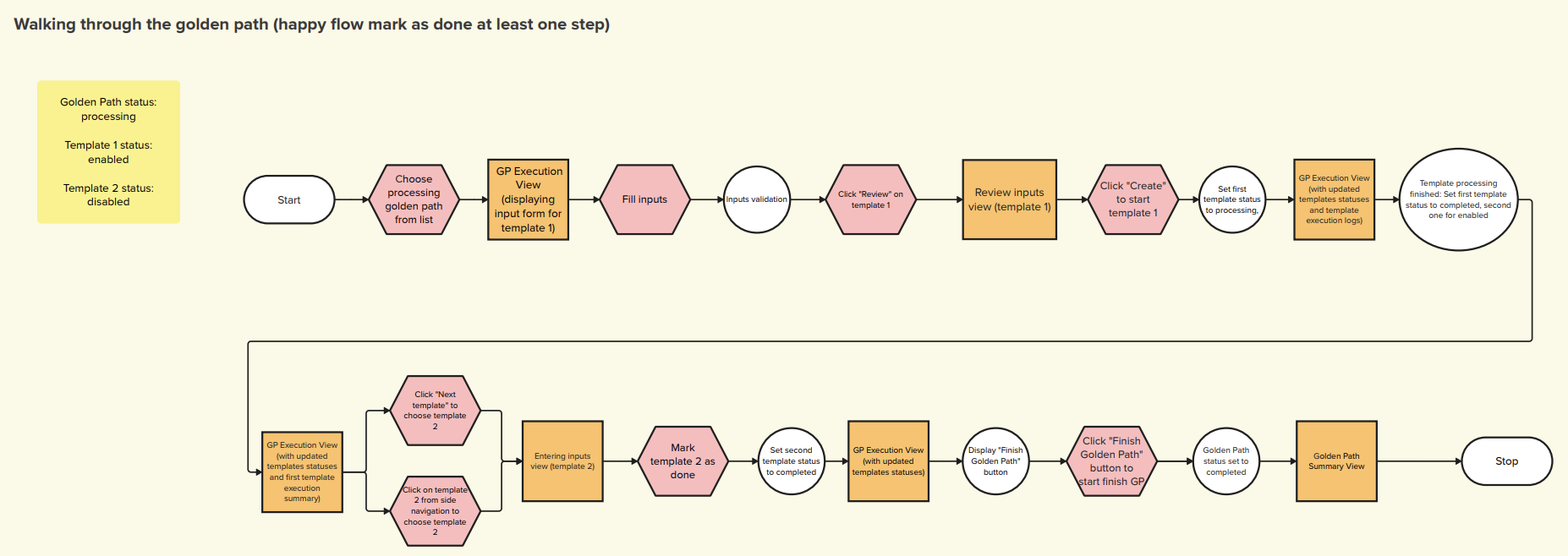
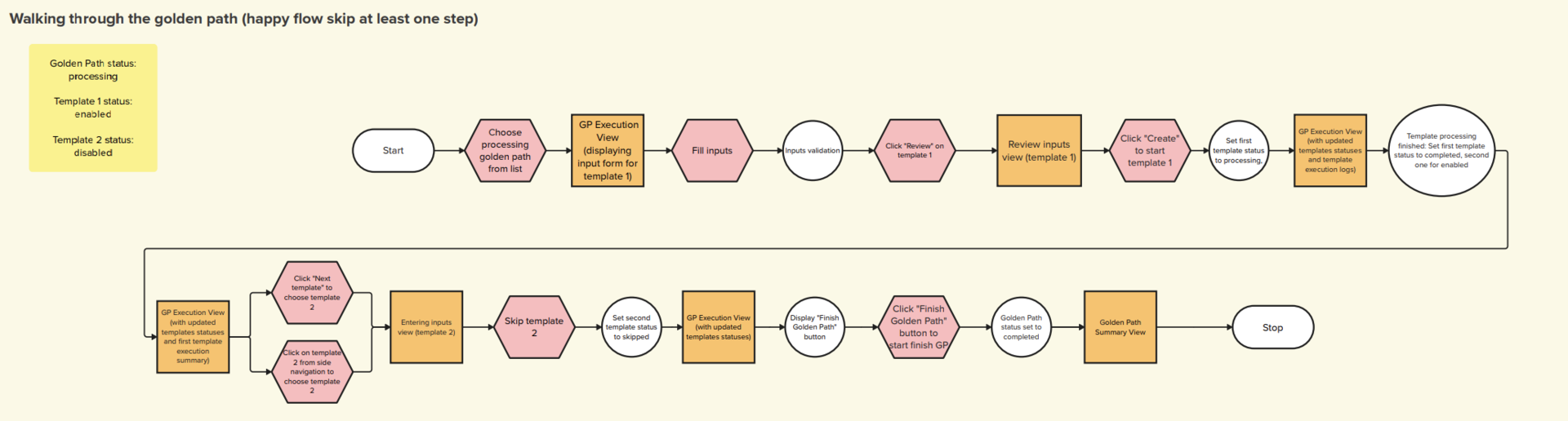
The user continues their journey through the Golden Path. As shown on the left-hand progress overview, this is a case where they decided to skip one step. The system instantly updates, unlocking the next template and allowing the user to move forward without unnecessary blockers, while still keeping full transparency of which step was skipped.
A satisfying finish
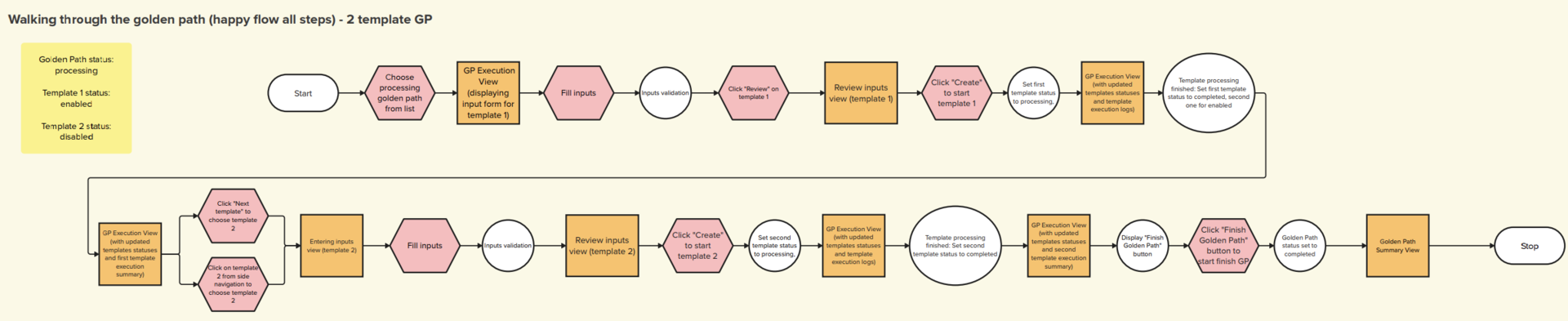
After successfully progressing through all the required templates, the user reaches the final step of the Golden Path. At this stage, the system highlights the full journey, marking every completed, skipped, or marked-as-done template. The user can now officially close the Golden Path, confirming that the process has been successfully completed.
What changed
after launch.
Engineers could complete workflows without jumping between multiple tools - all key steps and information were available in one place.
Progress visibility and persistent sidebar eliminated the "where am I?" question that dominated prior usability sessions.
Teams could clearly see what was completed, skipped, or in progress without additional coordination.
The plugin was contributed back to the Backstage.io ecosystem, extending its impact beyond a single organisation.